

8th-Mar-23, 04:07 PM
I've done some screen grabs.
1. Copy the youtube url
2. Select the video option in the post page

3. Select the youtube option
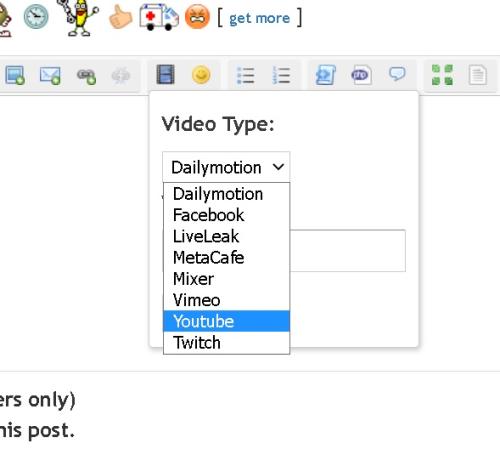
4. paste the youtube url in the box but swipe over the http that's already in the box

5. select insert
You can add a message before or after the youtube image like a normal post.
1. Copy the youtube url
2. Select the video option in the post page
3. Select the youtube option
4. paste the youtube url in the box but swipe over the http that's already in the box
5. select insert
You can add a message before or after the youtube image like a normal post.
Life is like a box of Slot cars...


![[+]](https://slotracer.online/community/images/bootbb/collapse_collapsed.png)