Lane Setup
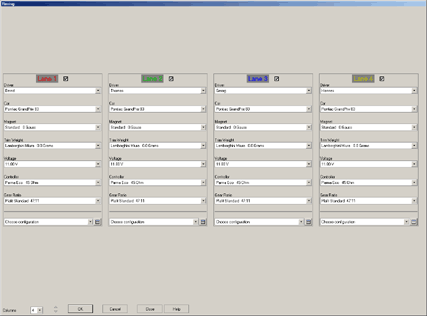
In this dialog you can configure which driver uses which lane. In addition you can configure the cars, controllers, tyres etc. used by each driver. Only those lists that are activated in the dialog Use Basic Data111CII3 are available The fields are preset with the data used previously or specified as default-data in the corresponding editors.
The dialog always uses the entire screen resolution.
Lanes may be turned on or off by checking or un-checking the boxes at the top. Turned off lanes are ignored during a timing sessionRXP1UZ.
The values may be interchanged between the lanes by clicking the option and dragging it over the same option on another lane. You can swap complete lane setups by dragging the lane´s title over another one.
The number of columns to display may be set from the list on the lower left of the dialog. If not all lanes fit on the available screen space, the arrow symbols on the lower left ca be used to switch the display between all the lanes.
The configuration of all values is important if you are interested in analysing the lap time data afterwards.
Use “OK” to end the configuration and to proceed. “Cancel” closes the dialog without saving the changes. “Close” also closes the dialog but saves the changes.
The configuration is not saved for the next start of SlotMan.
The lane-setups may be saved to be able to reuse them in further races. Saved configurations for lanes may be recalled from the bottom of the dialog. The Icon-button opens the Lane Configuration DialogH7RFP_.
Created with the Personal Edition of HelpNDoc: Free EPub producer