Posts: 2,355
Threads: 106
Likes Received: 2,443 in 1,147 posts
Likes Given: 7,771
Joined: Mar 2019
Location Farlington, North Yorkshire, UK
Great job Bob. That was really good.
Great camera angle showing the whole track, good clear lighting, nice intro for each car, fab track, good driving and classic F1s. I haven't watched it all yet, as it's late here, but I enjoyed the first half an hour. It did seem to me that the very first car didn't register its first lap, but I didn't stop to check.
It's interesting how these more restricted times have not only brought proxy racing to the fore, but also pushed forward the way we present or cover the races, not just for the entrants but for all of us. It's great.
Turns out us old dogs can learn some new tricks after all.
Posts: 47
Threads: 4
Likes Received: 74 in 28 posts
Likes Given: 29
Joined: Aug 2020
Location Northern VA, USA
You have a good eye Jason, the first car to qualify did in fact miss the first lap. It was easy to verify with Race Coordinator (RC), since it stores every lap time for each car for both the 10 lap qualifier and 40 lap race. Not sure what happened but I suspect I didn't start the car behind the sensor. I was pretty nervous starting out trying to remember everything to do about RC, OBS, the YouTube stream, and trying to get the correct car on the starting line. I'm glad I was not aware of it until after the race, when another viewer also noticed also. If I had known that the first car and first lap had problems; I would have been a wreck for the remainder of the race.
This was a proxy put on by Mark Huber (GPd Montana 2021), for scratch-built F1 cars that raced during the 1961-1963 seasons. Beautiful cars, and they performed amazing well on those tall skinny tires.
Bob
Posts: 4,022
Threads: 686
Likes Received: 9,030 in 3,106 posts
Likes Given: 9,338
Joined: Apr 2019
Location Worthing, UK
I have been playing with OBS, Race Coordinator and a couple of webcams on and off for the past month with the aim of using it for the two Brighton to John O'Groats proxy stages I'm hosting. Here's the screen I came up with and used during a full trial of Saturday's layout...
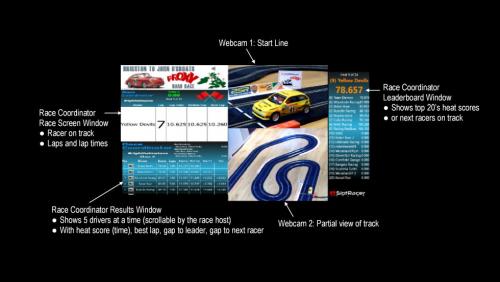
I wanted to get a screen that was clear - even on a small phone screen - in terms of who's on track, a picture of the car before the start and the live leaderboard (top 20 only). For people looking at bigger screens, there's the Race Co-ordinator 'results' table, which includes more data such as gaps to the leader and gap to the next racer. That only shows 5 places at a time (the top 5 by default), but can be periodically scrolled by the race host to look through the top 20 places. Audio is from the Race Coordinator output (I've only kept a few of the audio features) and the start line webcam. It all seemed to work okay... and the YouTube streams are set up and ready to go Saturday afternoon and Sunday morning.
I have Race Coordinator set up for a 60 second gap between the end of one run and the green light for the next one. That gives enough time to write down the score, swap cars, complete a warm-up lap and have the car sit on the start line (on camera) for at least 10-15 seconds. I also have a couple of still images to use so no-one has to watch me set up the running order for the next class in Race Coordinator.
I will tweak and test a few things before the weekend, so if anyone has any suggestions do let me know.
(This post was last modified: 21st-Apr-21, 03:07 PM by
woodcote.)
Posts: 2,513
Threads: 117
Likes Received: 2,852 in 1,456 posts
Likes Given: 7,556
Joined: Jan 2020
Location Eastbourne UK
Nice.
Will you be publishing a running order of the cars in the thread, so that we can spot if our cars have been, or are still to come, at any particular moment that we are watching?
I love puttering with gears
Posts: 2,355
Threads: 106
Likes Received: 2,443 in 1,147 posts
Likes Given: 7,771
Joined: Mar 2019
Location Farlington, North Yorkshire, UK
Looks great Andy.

Posts: 4,022
Threads: 686
Likes Received: 9,030 in 3,106 posts
Likes Given: 9,338
Joined: Apr 2019
Location Worthing, UK
Jeremy - the leaderboard (right column) does give an indication (for 20 cars) of who has been (they have a time) and those that are due (with 0.00 next to their name, in running order). There's also the heat number included at the top of the leaderboard and on the race window. The class running is included at the top of the race window and the results window underneath. Everything will be much more visible on a big screen - but the essentials are there even on a 4 inch screen.
Posts: 598
Threads: 49
Likes Received: 447 in 272 posts
Likes Given: 954
Joined: Apr 2019
Location Australia
(8th-Mar-21, 10:22 PM)73emgee Wrote: (3rd-Mar-21, 09:12 AM)JasonB Wrote: Sounds good, let us know how it goes, feel free to post a link for coverage, and of course, good luck.
Well everything went pretty smooth for the first time, not perfect but I'm satisfied. Here a link to the saved stream showing Race Coordinator, OBS, and YouTube all working together.
GPd 2021 Race Link
I've been reading and following this along, the real issue I foresee is as a host I have bugger all time left to do anything else, including finishing one cup of coffee as others aren't versed in computers and software etc.
Wondering what the chance would be of obtaining your settings that I could import or use as a guide to setting something like this up.
I am running RC, I've dl'd OBS, YouTube is an issue as they like closing accounts for no reason, they won't even acknowledge they have done this, just bam.. account closed.
I do have a high end gaming laptop that has more than enough processing capabilities, I'd have to look into webcams maybe if these two I have here don't work.
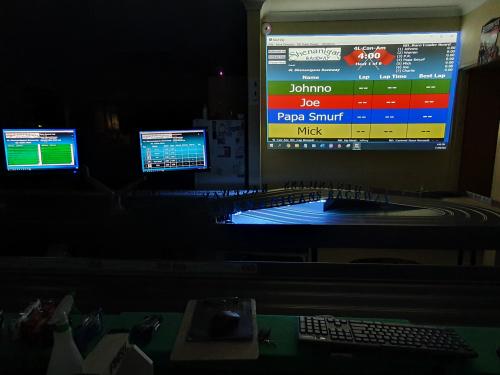
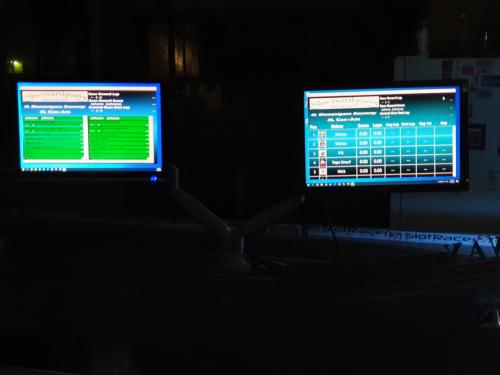
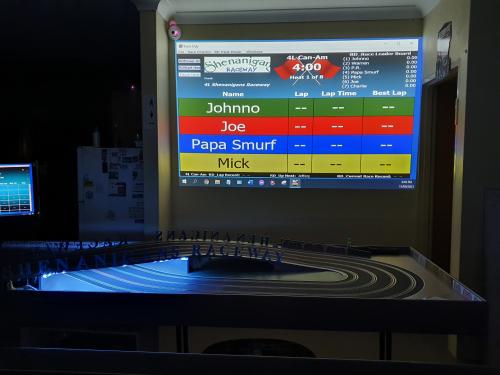
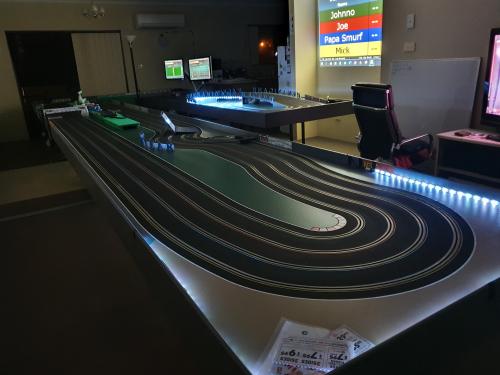
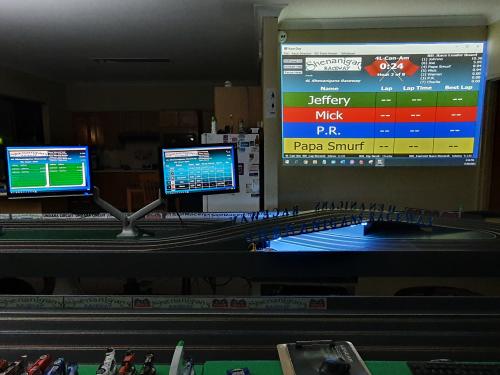
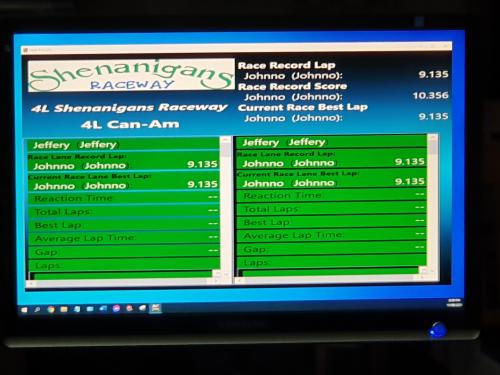
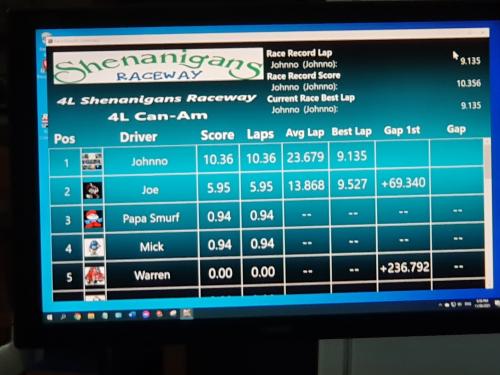
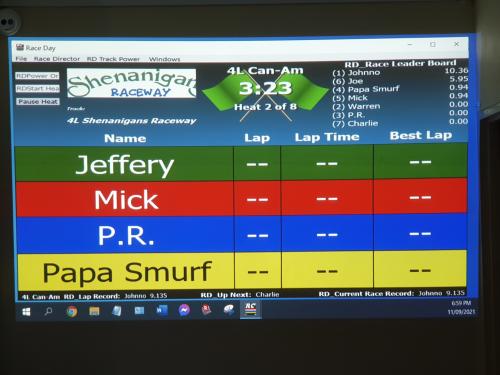
Could be useful to list the hardware that was used, specifically the webcams. I've installed two monitors and one projector to my track, photos for reference. I did start recording using Windows Camera software, this comes with time limitations and automatically stops after set period or video size, I wasn't too pleased with the attempt, though I did learn that I can't run everything and be the host, too many little things to do that come together.
![[+]](https://slotracer.online/community/images/bootbb/collapse_collapsed.png) •
•



