

5th-Dec-21, 03:11 PM
This tutorial is very useful, when you have a 3D file that's too thin...or too thick you can modify it with the 'Displace' tool.
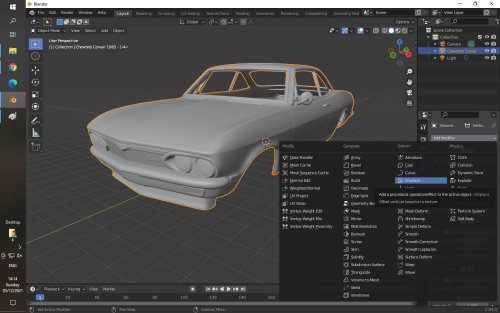
'Displace' adds or subtracts thickness, the default 'strength' is 1.000 which is 100% increase in thickness.
0.000 'strength' would be no change, -0.100 would be 10% thinner and 0.100 would be 10% thicker.

Here's the Blender Thickening Tool Tutorial
'Displace' adds or subtracts thickness, the default 'strength' is 1.000 which is 100% increase in thickness.
0.000 'strength' would be no change, -0.100 would be 10% thinner and 0.100 would be 10% thicker.
Here's the Blender Thickening Tool Tutorial
Life is like a box of Slot cars...


![[+]](https://slotracer.online/community/images/bootbb/collapse_collapsed.png)