

27th-Oct-26, 01:51 PM
Guys, a big update, version 1.99.0 - What's new?
Just download the pre-installed Windows zipfile, double click the icon after unzipping and enjoy!
Download here:
SlotForge Timing App - Direct Download from Google Drive, source or pre-installed!
- Lots of UI Improvements to make things more clear and easier to understand.
- Lots of rewrites on how Race Systems work!
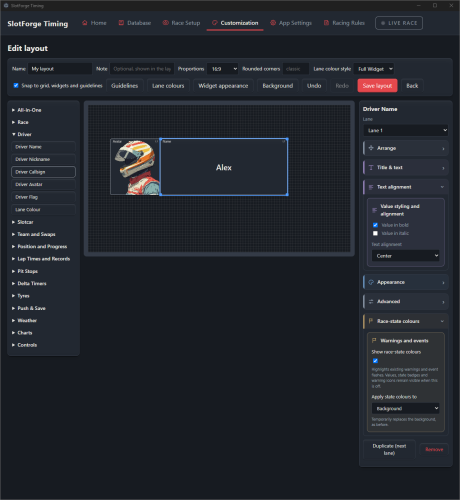
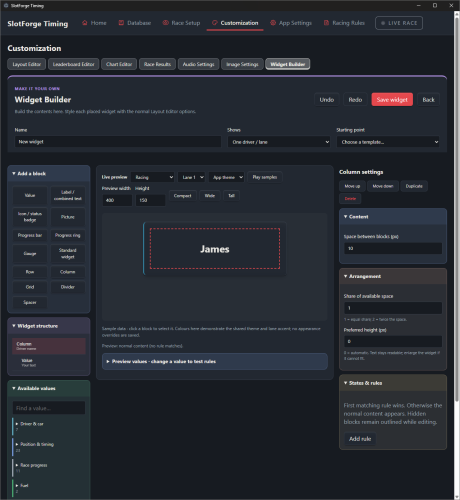
- Refined Widget Controls and lots of New Settings! Gradient Backgrounds, Accent Stripes, Race-State Colour options and more!
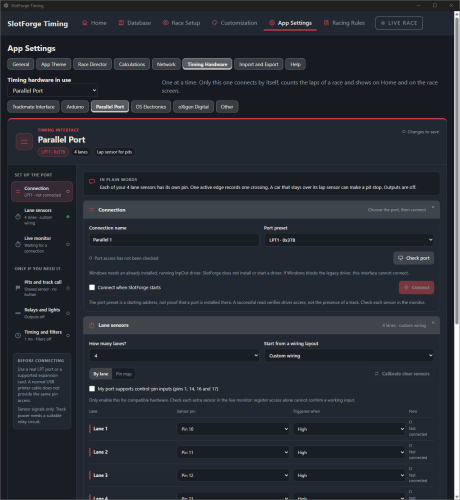
- Parallel Port Support by request, not yet verified working.
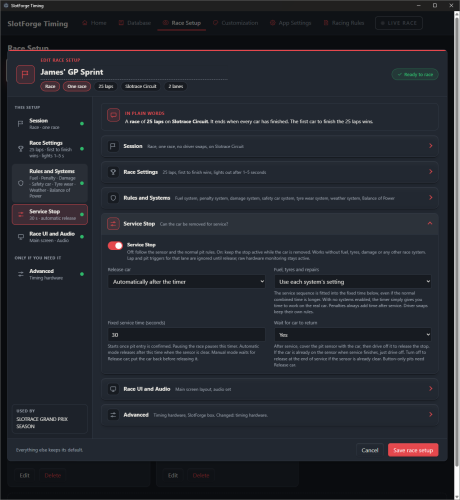
- Pitstops on a Timer! What's the point of that you ask? You can now define a pitstop that takes 30 seconds for example. During this time, you can REMOVE your car from the track, roll some sticky tape against the tyres or do some other magic, and place it back on track within the set time limit. Your pitstop has now become an actual Slotcar Service Pitstop! I don't know if this has been done but I think it's a really cool feature, and actually gives some real life tactical feeling to a pitstop. Taping your tires is like actually fitting new tyres in real life giving you a few laps worth of advantage. Setting an universal timer gives everyone equal chance. You can even expand this to 3 minutes for example, so you could actually change tyres during an endurance race, or just for the fun of it. Put on some slippery tyres to match the simulated Wet Weather conditions? Sounds like fun!
- If chosen and turned on, penalties will now always be additive to a pitstop time. Did you deserve a 10 second stop and go penalty? Your pitstop time now becomes 40 seconds (example from above, 30s + 10s). I think this adds a bit of tactical depth on when and where to pit during a race!
- Championships - Had a Free Practice and Qualifying set up but don't feel like driving them? You can now choose to skip them!
- Chart Widgets - compare laps in different ways using bar or line graphs!
- All-in-One Widgets - For the less tech savvy or impatient among us, a few clicks gives you a complete layout with all the essential info!
- Calculations Page - This page displays all the calculations that are being used by the Racing Systems and allows you to change them. Is something calculated over Median Laptime and would you rather it did that over Average Laptime or even Current Laptime? This is where you do it!
- Race Results Page - The Main Display gets the Finalize Results page, where the Race Director can disqualify drivers, invalidate laps and whatnot. the Second Screen gets the Race Results, showing the results and each driver's top statistics. You can do some light customization for now, choose between a 'Card' display or design your own row leaderboard with the Leaderboard Editor.
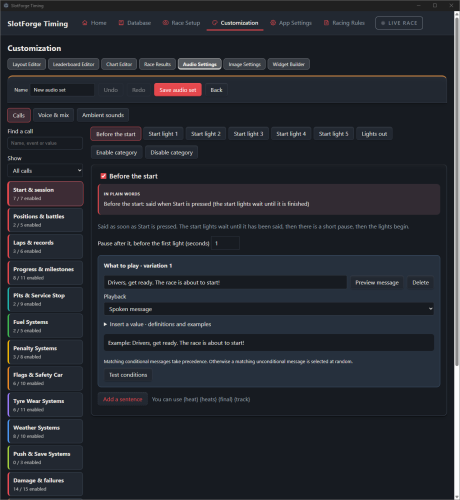
- Revised Audio Calls Setup! - More than +90 Call options and +35 'Ambient Sound' settings to choose from! Edit them to say what you want or create your own calls using the variables the app itself uses! Save as a set, apply on the Race Setup you want.
- Revised Widget Builder - Complete redesign of the Widget builder's functionality and User Interface, it's become a lot more powerful to truly build what you want along with a live preview of what you are making!
Just download the pre-installed Windows zipfile, double click the icon after unzipping and enjoy!
Download here:
SlotForge Timing App - Direct Download from Google Drive, source or pre-installed!
