Car Types
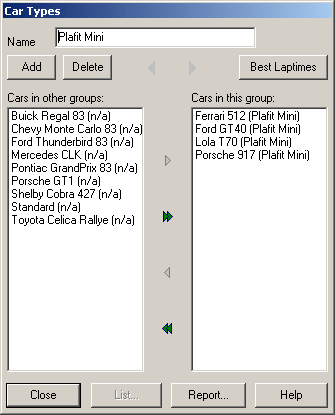
This editor is used for assigning cars to groups of cars (or Car Types). This assignment is only used for analysing the best lap times and is not used for any further functionality.
Car types are added by filling out the name-field and clicking “Add”. Cars may be added to or removed from this car type using the two lists and moving entries from one list to the other by clicking the buttons in between.
The car type a car is currently assigned to is being mentioned in brackets after the car´s name. If the car is not assigned to any car type so far, this is mentioned as “n.a.”. The left list contains all cars from other car types, the right list contains all the cars assigned to the current car type.
Report
Opens the ReportOEEVSP dialog to output reports to the printer or a file.
Created with the Personal Edition of HelpNDoc: What is a Help Authoring tool?